Film Production Management for Indie Filmmakers Filmari.
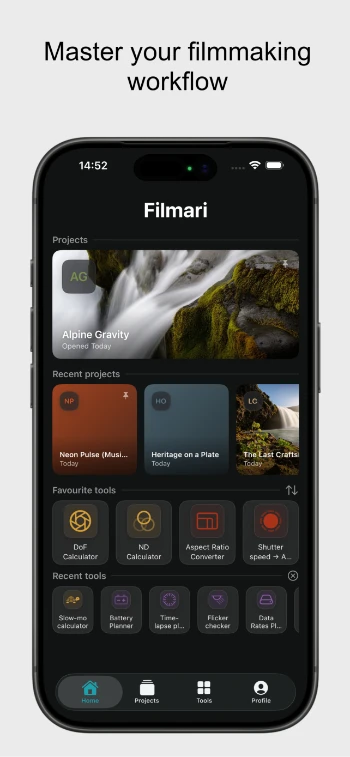
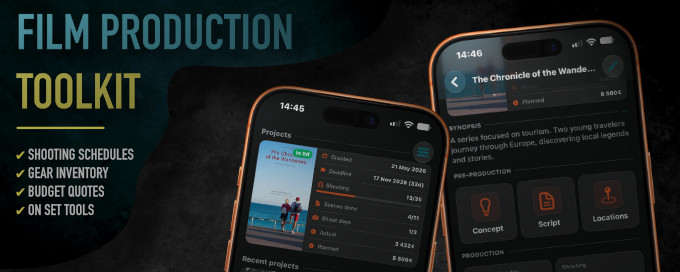
Filmari is a film production management app for indie filmmakers, solo creators, and small production teams. Plan your shoot, organize gear, manage budgets, and keep essential production tools in one place.
-Badge-Alternative-Logo.wine.webp)
iOS 26 or later · macOS 26 or later
Why Filmari
Everything you need for a production, in one place
Filmari brings together the tools you need to plan, organize, and run a shoot — from project prep and gear management to budgeting and on-set work.
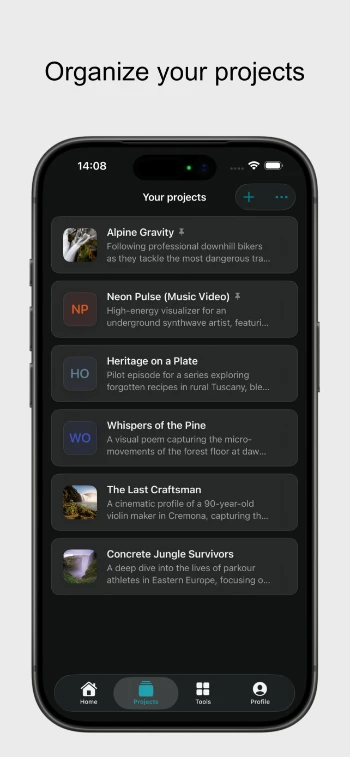
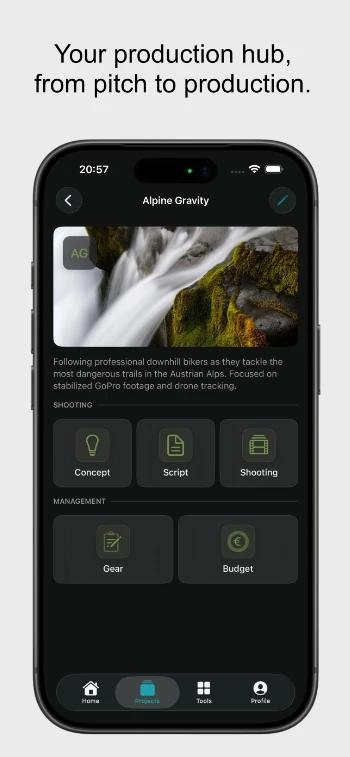
Your whole shoot, together
Script, locations, crew, shooting days, gear and budget — one project holds every moving part, structured the way a production actually runs.
Built for the field
Designed offline-first for documentary and location work. Out of signal range on set? Everything still works — nothing lives in the cloud.
On-set tools included
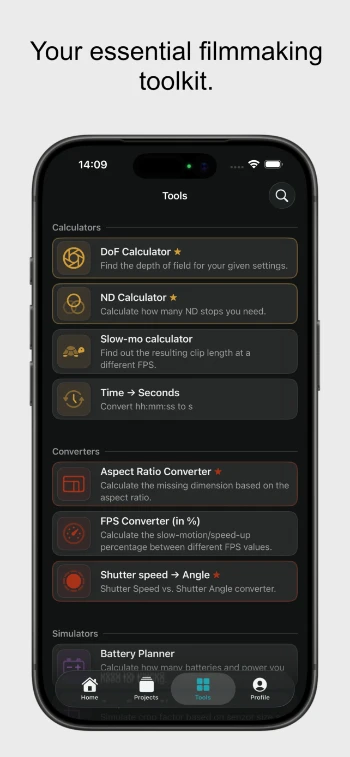
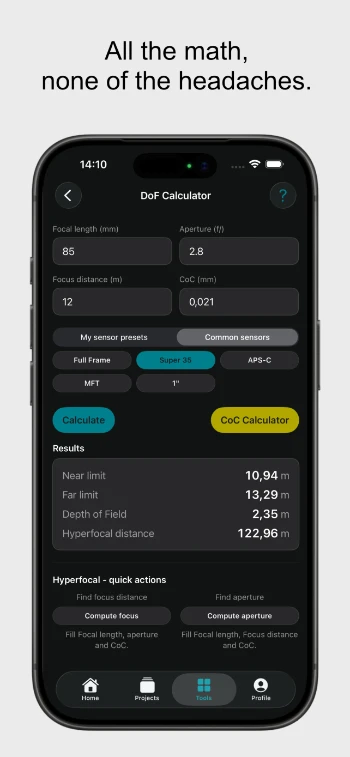
DoF, ND, timelapse, data-rate, battery and crop-factor calculators are built in — no hunting across a dozen websites mid-shoot.
No subscription trap
Fully usable free for a single project. Unlock everything with a one-time lifetime license when you're ready — future updates included.
From first idea to final export
One workflow, prep to wrap
Prep the shoot
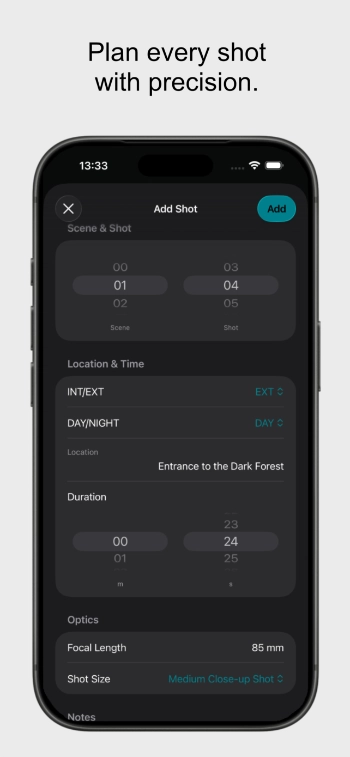
Break a PDF script into scenes, scout and pin locations, schedule shooting days, build shot lists and packing lists, and cost it all in an itemised budget.
Run the set
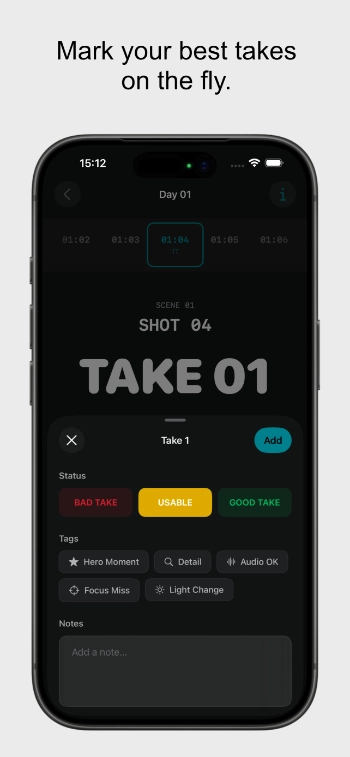
Work day by day with call sheets and shot lists, then log takes live as you roll — good, usable or bad, with your own tags. No signal required.
Hand it off
Export clean PDFs and CSVs — call sheets, shot lists, review sheets, budget quotes — and lock sensitive data behind Face ID when someone else holds your phone.
Built by a filmmaker, for the field
Filmari started from a problem I experienced myself — filmmaking requires a lot of small tools, notes, calculators, and systems scattered across different places.
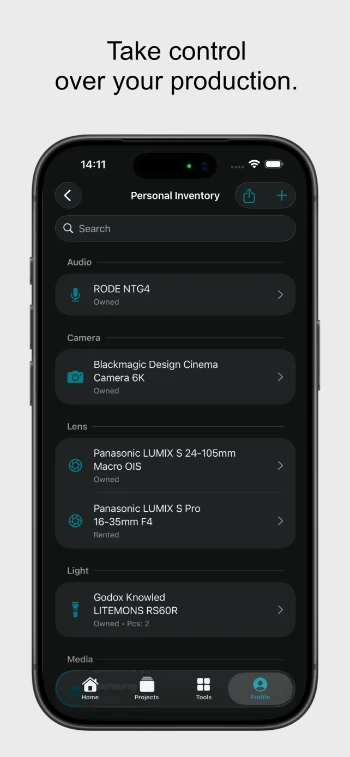
I wanted one simple app where filmmakers could organize their productions, manage their gear, and have the essential tools they need ready whenever inspiration or a shooting day comes.
Built for indie filmmakers, solo creators, and small production teams, Filmari focuses on keeping things practical. No overwhelming production suites, no unnecessary complexity — just the tools you actually need to plan and create.
Filmari works offline, keeps your data on your device, and doesn’t force you into a subscription. Use it freely with one project, or unlock unlimited productions with a one-time lifetime license.
Good to know
Frequently asked
Is Filmari a replacement for StudioBinder or other production platforms?
Filmari is built for filmmakers who work independently or in small teams. It focuses on keeping your production organized without the complexity and cost of enterprise production software.
Do I need an internet connection or an account?
No. Filmari is offline-first. Your projects and data stay on your device, so you can use it anywhere — even on set without a connection.
What can I manage in Filmari?
Filmari helps you organize your productions, from projects and equipment to planning tools and production details — everything in one place instead of scattered across multiple apps.
Is Filmari only for filmmakers?
Filmari is designed for anyone who creates video — indie filmmakers, documentary creators, wedding filmmakers, content creators, and small production teams.
How does pricing work?
Filmari is free to use with everything you need for a single production. Manage one active project, use all filmmaking tools, organize your gear, and keep your workflow in one place. When you start running multiple productions at once, Filmari Pro unlocks unlimited projects with a one-time lifetime license — no subscriptions.
Which devices does Filmari support?
Filmari runs on iPhone and iPad with iOS 26 or later, and Mac with macOS 26 or later.
More questions? Read the full help guide or send feedback.
iOS 26 or later · macOS 26 or later